
make marketing affordable now!


 Hidden Field Hidden Field
A hidden field is a special form element in that it does not allow any interaction with the user and is hidden from view. At the same time its value is sent to the server when the form is being submitted. To insert a hidden field into a document in CKEditor, place the cursor inside the form element and press the Hidden Field toolbar button. The Hidden Field Properties dialog window that will open lets you set the name and value of a hidden field. 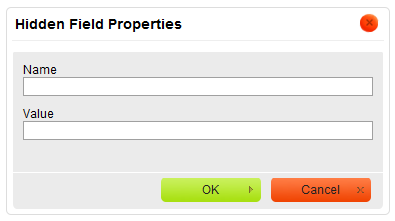
Hidden Field Properties dialog window in CKEditor
Once you configure the hidden field and click the OK button, the hidden field will be visible in CKEditor editing area as a small icon. Note, however, that as the name suggests, it will be hidden while in preview mode. 
A hidden field added to a form in CKEditor
|
|---|