
make marketing affordable now!


|
|---|
 Email Setup:
Email: |
me@my-domain.co.za |
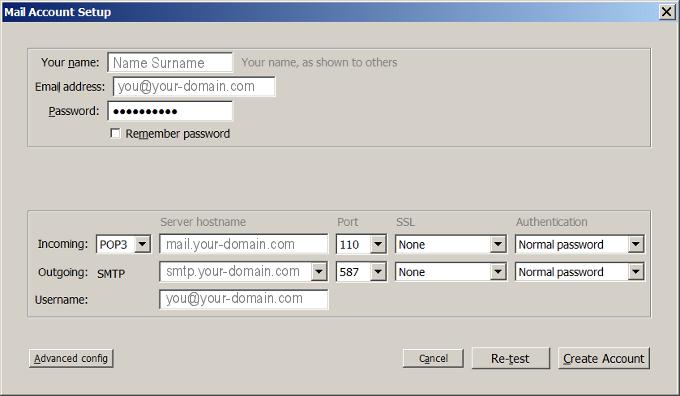
| Incoming (POP) server : | mail.my-domain.co.za |
| Outgoing (SMTP) server : | smtp.my-domain.co.za |
| Account / User Name : | me@my-domain.co.za |
| SMTP Authentication : | Enabled (same Username as POP) |
| Note: If SMTP Authentication is not catered for by your email program, you must rather use your ISP's SMTP server. | |
| SMTP Port : | 587 |
Your email is also available online via Webmail.
Launch Mozilla Thunderbird
1. Launch Mozilla Thunderbird
Add a new email account
2. Select “File” from the top menu bar, then “New”, then “Mail Account”
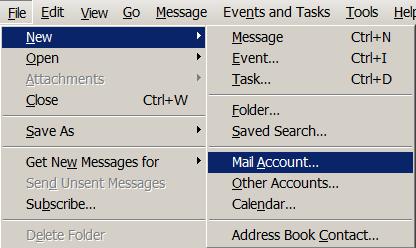
Mail Account Setup
3. Fill in your Name, email address and Password and then select “Continue”
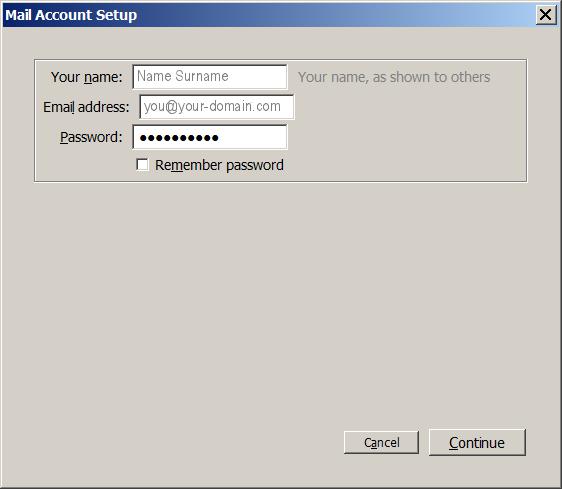
Mail Setup
4. Select “Manual config” from the bottom left.
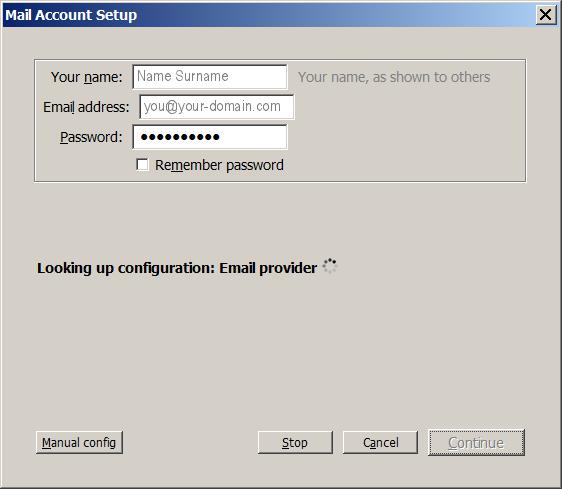
Manual config
5. Ensure that your settings are the same as the screen below and select “Create Account”
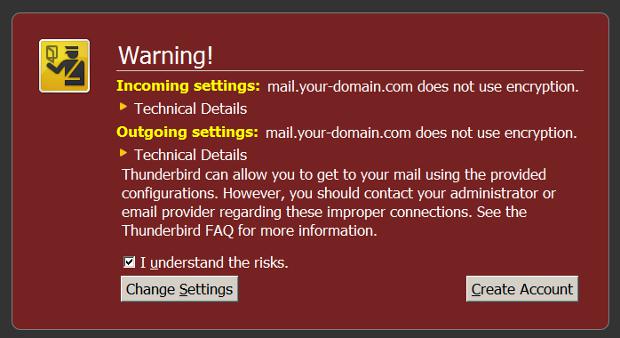
SSL Warning
6. You will then be prompted with an SSL warning. Select the tick box and then select “Create Account”
Setup Completed
7. Your Thunderbird homepage will now display and you should now be set up to send and receive mail.
Email still not working? Read our Troubleshooting Guide