
make marketing affordable now!


|
|---|
 Email Setup:
Email: |
me@my-domain.co.za |
| Incoming (POP) server : | mail.my-domain.co.za |
| Outgoing (SMTP) server : | smtp.my-domain.co.za |
| Account / User Name : | me@my-domain.co.za |
| SMTP Authentication : | Enabled (same Username as POP) |
| Note: If SMTP Authentication is not catered for by your email program, you must rather use your ISP's SMTP server. | |
| SMTP Port : | 587 |
Please Note
Blackberry phones differ in the way that email is setup on it. This article will cover the basics of email setup on Blackberry phones using the Blackberry Curve 8520 as an example. Even though your phone might be slightly different, the same basic principles should apply.
Select Blackberry Button
1. Press the Blackberry button on your phone.

Select Setup
2. Find and select the “Setup” icon.

Select Email Settings
3. Select “Email Settings” or “Email Accounts“.

Select Internet Mail Account (If Applicable)
4. Some models have an additional step asking you which type of account to setup. Select “Internet Mail Account” if your phone displays this screen.
Add Email Account
5. Select “Add” or “Set up another email account” and then scroll down and select “Other”.

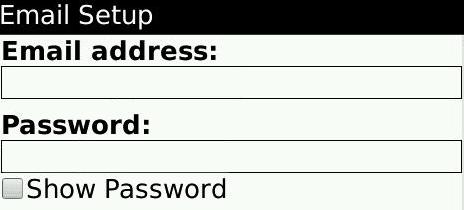
Insert Email Details
6. Type in your email address and email password (e.g. you@your-domain.com)
Complete Setup
7. Click “Next” or “Continue” to finish your email setup.
You can now find a icon for this email account on your Blackberry desktop.
Email still not working? Read our Troubleshooting Guide